|
|
| Character
Selection |
| Once
you join a game in Desert Crisis, you will be presented
with a lot of options, some of which, you have most
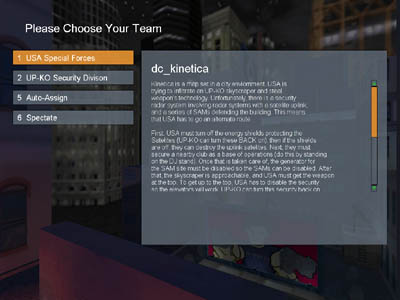
likely never seen before. First, you will be given
a screen to choose a team or spectate. It will
also give you a little info about the map. |
 |
|
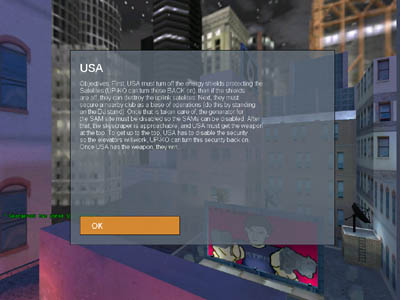
| After choosing your team, a
list of your teams objectives will come up, once read
click ok. |
|
|
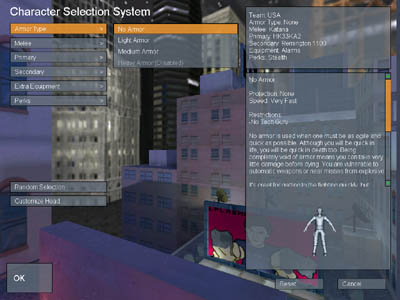
| Choose an armor class
(this only determines your armor and speed), your
weaponry, equipment and perk. Each team has four
"classes", none, light, medium and heavy.
The right side of the screen will show a picture of the
weapon, equipment, perk or armor highlighted, along with
a description of it (note: some percs do not let you use
certain guns or armor classes). The top right hand
corner of the screen is an overview of all of your
selections.
None - Gives the player extra speed but no
armor.
Light - Gives the player extra speed but little
armor.
Medium - Average armor.
Heavy - Lower speed but gives full armor.
|
 |
|
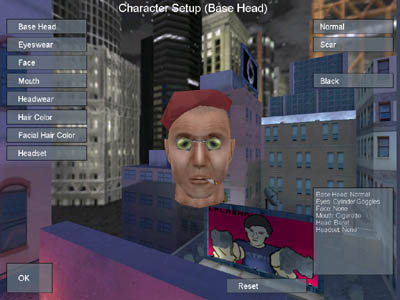
| Next
you will be able to customize the look of your player's
head. Click customize below random to
begin. With over 8000 different combinations, any
player can look original. After the head is
customized click ok and you're ready to join the game. |
 |
|
|
|
